Custom software

Whatever you imagine, we build it.

A universe of possibilities.

We create the software your business needs: easy to use, made to measure and ready when you need it most.

01 / 05 · Listen

We start by listening.

  • “I lose hours moving data from one place to another.”
  • “My tools don't talk to each other.”
  • “My system slows me down instead of helping.”

If that sounds familiar, you're in the right place. Before proposing anything, we sit down with you and understand what is really in your way.

02 / 05 · Design

We draw the plan with you.

You see the scope, the timeline and the risks before a single line of code is written. No fine print and no surprises.

03 / 05 · Build

We build it around you.

Applications, automations and integrations made for the way you work. Simple to use, even when it isn't simple to build.

ComplexitySolved

04 / 05 · Connect

Everything connected.

Your tools stop working apart: information flows on its own and your team stops copying and pasting.

05 / 05 · Follow

We stay by your side.

We go live with guidance, clear documentation and ongoing support. Your business grows, and the system grows with it.

06 / Applied AI

AI proposes. People decide.

We use AI where it saves real work, always under your judgment: it reads, sorts, flags and drafts; you review and approve.

People

Human judgment

  • You decide, and you understand every step.
  • We review every result before it reaches your operation.
  • AI proposes, people approve.
  • Documentation and support, so nothing depends on luck.

How it reaches production

  1. Diagnosis
  2. Prototype
  3. Pilot
  4. Production

Applied AI

illustrative example

An assistant that works in plain sight

izumiti://flow · example
  1. AssistantI read this week's orders sheet and found the rows with incomplete data.
  2. AssistantI loaded the orders into the system. The doubtful ones are set aside, untouched.
  3. ReviewerTwo rows have no delivery date. Which one do I use?
  4. YouUse the one in the contract.approved
  5. AssistantDone: orders up to date and noted in the history.
  6. AssistantI transcribed the voice note from the visit and saved it to the client's file.
  7. AssistantA client asks to move their appointment. I tagged it "Scheduling" and passed it to the team with a suggested reply.
  8. ReviewerI checked the draft: it matches your change policy.
  9. AssistantHeads up: one product dropped below the minimum you set. I propose a restock order.alert
  10. YouApprove it.approved
  11. AssistantThis week's summary in plain words: what changed, why, and what to look at first.
  12. AssistantI drafted the brief. I marked the key clauses and where each fact came from.
  13. ReviewerOne citation has no source. It will not go out until you approve it.
  14. YouApproved, with one change in the third paragraph.approved
  15. AssistantSent and saved to the case file.

Example messages to illustrate. They are not real data from any client.

Which one sounds familiar?

Pick what is happening to you.

Tap a case and see what AI would do about it. It changes by itself every few seconds until you take over.

Data and sheets

Your data moves by itself; you only review.

Sheet → system, no typingLoaded

24rows loaded without typingexample

We read your sheets, emails or forms, fill the system for you and set the doubtful bits aside for you to confirm.

3 first steps

  1. We map where your data comes from and where it must go.
  2. We build an automatic load with a review of anything doubtful.
  3. We test it with your real files before it runs daily.
Let's talk about this

Integration

Your tools, talking to each other.

Five tools, one flowConnected

5tools connectedexample

We connect your software and automate the handoff of information, so nobody copies and pastes between screens.

3 first steps

  1. We list the tools you use and what data each one needs.
  2. We connect first the flow that takes the most of your time.
  3. We add alerts so you know if a connection fails.
Let's talk about this

Visibility

You know how the business is doing every day, not at month end.

A dashboard that updates itselfOn pace

3alerts that warn you on their ownexample

We bring your numbers into a dashboard that updates itself, with alerts when something looks off and an explanation in plain language.

3 first steps

  1. We agree on the few numbers that really matter.
  2. We connect the sources and build a dashboard that updates itself.
  3. We add alerts and a short summary written in plain words.
Let's talk about this

Support

Repeated questions go out faster; you approve.

Many questions, one reviewed answerApproved

12drafts ready to approveexample

We sort incoming messages, draft replies from your own answers, and you approve. What repeats gets answered in less time.

3 first steps

  1. We gather the most common questions and your best answers.
  2. We build drafts and the rules for who each case goes to.
  3. You start by approving each one; you automate only what you trust.
Let's talk about this

Documents

Documents are read first; you decide after.

Highlighted clauses and a summaryTo review

3clauses flagged for your reviewexample

We summarise, highlight clauses and key points, and search by meaning across your files, always with the source in view so you can verify.

3 first steps

  1. We pick the type of document that takes most of your time.
  2. We define what to look for: clauses, dates, amounts, risks.
  3. You review the summary with its source citation before using it.
Let's talk about this

Operations

Inventory and appointments in order, with timely alerts.

Automatic order and a minimum alert1 alert

1alert before you run out of stockexample

We put stock or schedule in a single system, with alerts when something drops below the minimum or overlaps. It is the kind of system we already built in SKE Inventories and Metropolitan Appointments.

3 first steps

  1. We look at how you track stock or schedule today.
  2. We centralise it in one system with users and permissions.
  3. We set the minimums and the alerts you want to receive.
Let's talk about this

Real work

Systems that already run, every day.

Each one designed, built and maintained by our team.

Use the left and right arrow keys, or drag, to switch project.

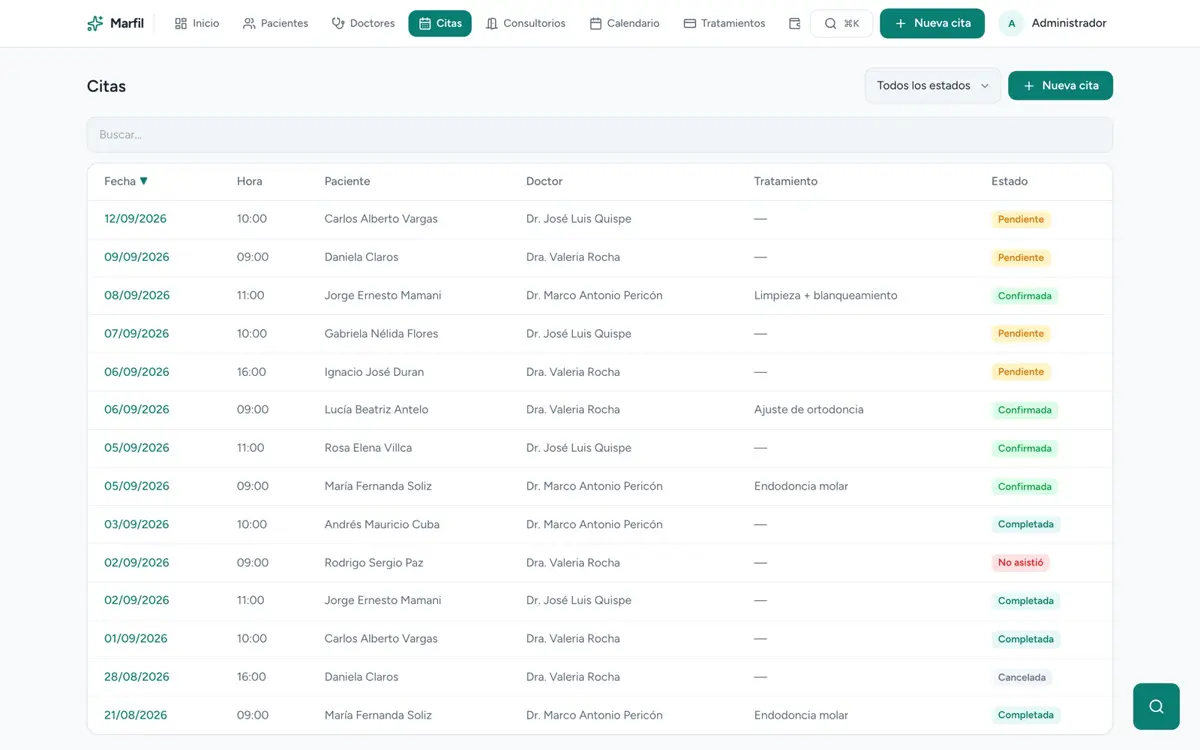
  • Screenshot of Marfil

    Dental · Clinics

    Marfil

    Dental clinic management — appointments, patients, treatments, and billing in one system.

    Visit site
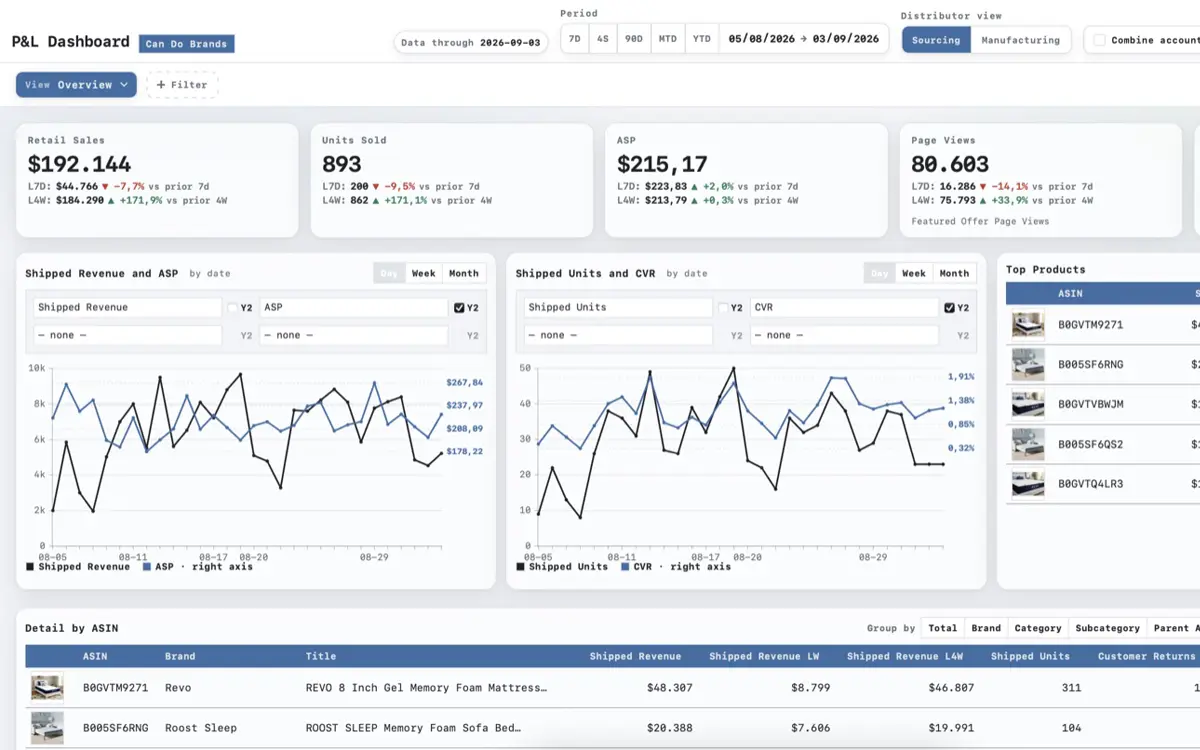
  • Screenshot of AstralQ

    Analytics

    AstralQ

    Amazon analytics with built-in alerts — sales, traffic, inventory, and purchase orders for every account.

    Visit site
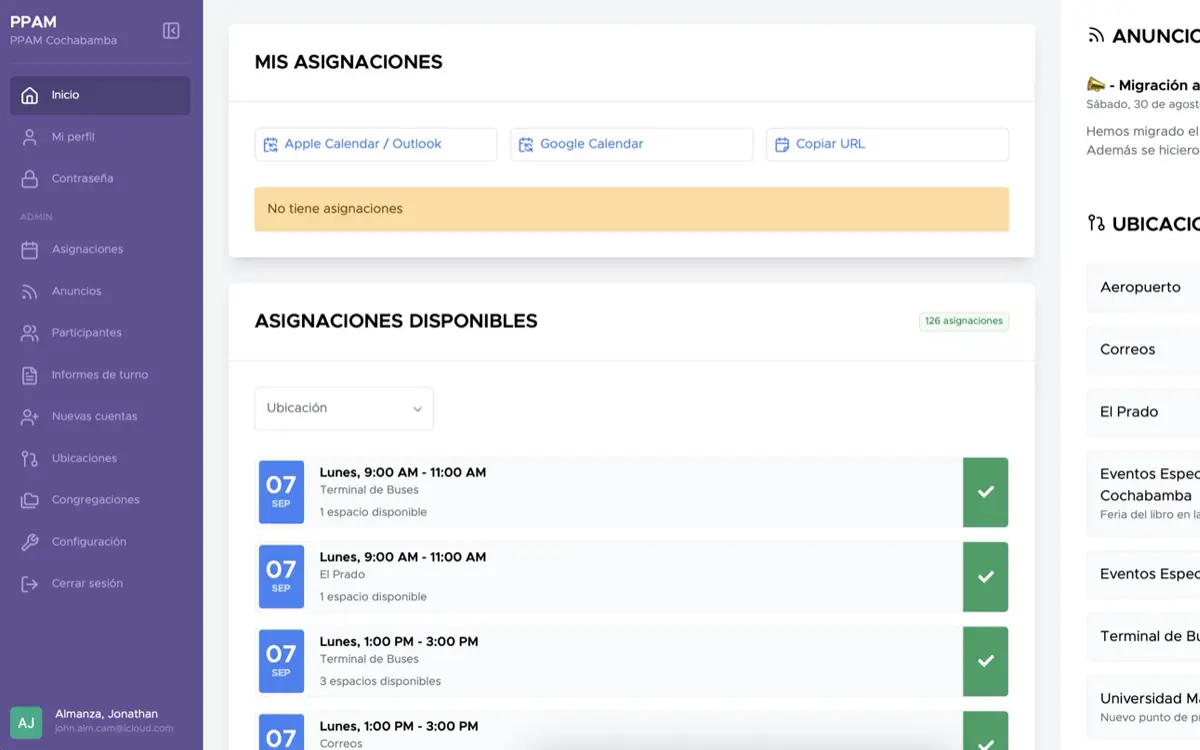
  • Screenshot of Metropolitan Appointments

    Public sector

    Metropolitan Appointments

    Citizen appointment scheduling — multi-location shifts, queues, and single-access links.

    Visit site
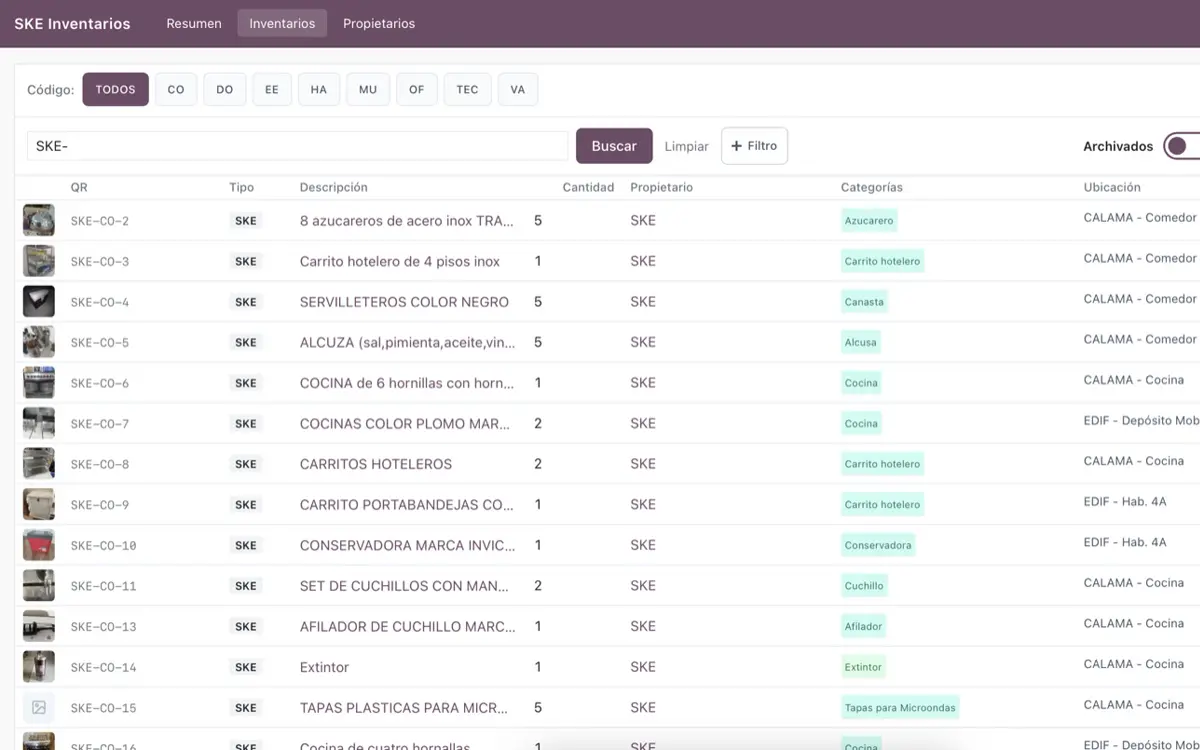
  • Screenshot of SKE Inventory

    Operations

    SKE Inventory

    Inventory management — counts, users, and reporting for the whole operation.

    Visit site
  • ERP · CRM

    CRM & ERP platforms

    We implement, customize, integrate — and when the platform outgrows the problem, we migrate operations off it into something right-sized.

    • Odoo
    • ERPNext
    • Tryton
    • Frappe CRM
  • Legal · Law firmsIn development

    Lex Adminic

    A legal workbench for lawyers and law firms — case files, drafting and hearings in a single workspace.

Contact

Tell us about your project.

Whatever you imagine, we build it.

Whether you already have the project defined or only suspect where the problem is, we want to hear it.

Or write to us directly

We usually reply within one business day. We use your data only to reply to you. Privacy policy